The Complete Apache Spark and Iceberg Performance Tuning Checklist

You have a Spark job running on Iceberg tables. It works, but it is slow, expensive, or both. You have read a dozen blog posts about individual optimizations — broadcast joins, AQE, partition pruning, compaction — but you do not have a single place that tells you what to check, in what order, and what the correct configuration values are. Every tuning session turns into a scavenger hunt across documentation, Stack Overflow, and tribal knowledge.
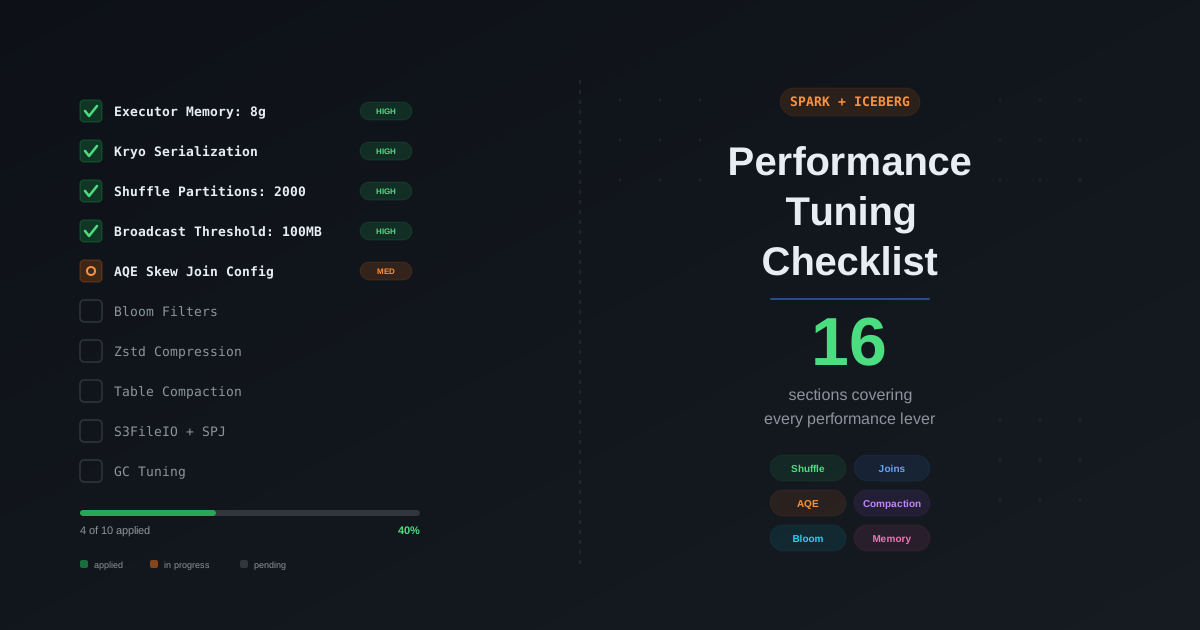
This post is the checklist you run through every time. We cover every performance lever in the Spark and Iceberg stack, organized from highest impact to lowest, with the exact configurations, recommended values, and links to our deep-dive posts for the full explanation. If you only have 30 minutes, work through the first five sections. If you have a day, work through all sixteen. Every item has been validated in production workloads on the Cazpian lakehouse platform.
How to Use This Checklist
This checklist is organized into sixteen sections covering every layer of the Spark and Iceberg performance stack. Each section contains:
- What to check — the specific configuration, technique, or design decision
- Recommended value — the production-tested setting
- Why it matters — the performance impact in plain language
- Deep dive — link to our detailed post covering the full explanation and edge cases
Start from the top. The sections are ordered by typical impact — cluster sizing and serialization yield the biggest gains for the least effort, while GC tuning and monitoring are refinements you apply after the fundamentals are solid.
The symbols: Each checklist item is marked with its impact level:
- HIGH — typically 2-10x improvement when misconfigured
- MEDIUM — 20-50% improvement in applicable workloads
- LOW — 5-20% improvement, situational
1. Cluster Sizing and Resource Allocation
The single most common performance mistake is running Spark with default resource settings. The defaults (1g executor memory, 1 core) are designed for local development, not production. Getting the executor shape right affects every other optimization in this checklist.
Executor Memory
HIGH — Set spark.executor.memory to 8-16g for most production workloads.
spark.executor.memory=8g
Spark's unified memory model divides executor heap into four regions: Reserved (300 MB hardcoded), User Memory, Storage Memory, and Execution Memory. With the default 60/40 split (spark.memory.fraction=0.6), an 8g executor gives you approximately 4.6 GB of managed memory for shuffles, joins, and caching. A 1g executor gives you only 430 MB — too small for any real-world shuffle or hash join.
Formula for available managed memory per executor:
Managed Memory = (spark.executor.memory - 300 MB) × spark.memory.fraction
Example: (8192 - 300) × 0.6 = 4,735 MB
Executor Cores
HIGH — Set spark.executor.cores to 4-5 for most workloads.
spark.executor.cores=4
Each core runs one concurrent task. More cores per executor means less memory per task:
Memory per task = Managed Memory / spark.executor.cores
Example: 4,735 MB / 4 = 1,183 MB per task
Too many cores (8+) and individual tasks starve for memory, causing spill. Too few cores (1-2) and you waste overhead on JVM processes. The sweet spot is 4-5 cores.
Memory Overhead
MEDIUM — Set spark.executor.memoryOverhead to at least 2g for production.
spark.executor.memoryOverhead=2g
The overhead accounts for JVM internal structures, native libraries, off-heap allocations, and PySpark worker memory. The default is max(executor.memory × 0.10, 384 MB), which is often too small. On Kubernetes, use spark.kubernetes.memoryOverheadFactor=0.10 for JVM workloads and 0.40 for PySpark.
Driver Memory
MEDIUM — Set spark.driver.memory to 4-8g minimum. Increase to 16g if using broadcast joins on tables larger than 100 MB.
spark.driver.memory=8g
spark.driver.maxResultSize=2g
The driver must hold broadcast variables (with 2-10x memory amplification from disk to in-memory representation), collect() results, and query planning metadata. If you broadcast a 200 MB table, the driver needs at least 600 MB just for that single broadcast.
Memory Fraction Tuning
LOW — Adjust spark.memory.storageFraction based on workload type.
| Workload Type | storageFraction | Why |
|---|---|---|
| Shuffle-heavy (joins, aggregations) | 0.3 (default 0.5) | More execution memory for hash tables |
| Cache-heavy (repeated reads) | 0.6-0.7 | More storage for cached DataFrames |
| Balanced | 0.5 (default) | Even split |
Deep dive: Spark Memory Architecture: The Complete Guide to Unified Memory Model and Spark OOM Debugging
2. Serialization
Serialization affects every data transfer in Spark — shuffles, broadcasts, caching, and task closures. Switching from Java serialization to Kryo is one of the simplest and highest-impact optimizations available.
Switch to Kryo Serialization
HIGH — Set spark.serializer to Kryo for 2-5x smaller serialized data and faster serialization.
spark.serializer=org.apache.spark.serializer.KryoSerializer
spark.kryoserializer.buffer.max=128m
Java's default serializer stores full class metadata with every object — class names, field names, type descriptors. Kryo uses compact binary encoding with pre-registered class IDs, producing dramatically smaller output. This directly reduces:
- Shuffle data volume — less data written to disk and transferred over the network
- Broadcast variable size — smaller broadcasts mean faster distribution and less driver memory
- Cache memory footprint —
MEMORY_ONLY_SERandMEMORY_AND_DISK_SERuse the configured serializer
Register Frequently Used Classes
MEDIUM — Register your domain classes with Kryo for maximum compression.
spark.kryo.registrationRequired=false
spark.kryo.classesToRegister=com.company.model.Event,com.company.model.User
When registrationRequired=false (the default), Kryo falls back to writing the full class name for unregistered classes — still better than Java serialization, but not as compact as registered classes that get a 1-2 byte ID instead.
For Spark SQL DataFrames (which use Spark's internal InternalRow format), Kryo registration has less impact because the DataFrame API already uses an optimized serialization path. The biggest benefit is for RDD operations and custom UDFs.
When Serialization Matters Most
| Operation | Serialization Impact | Why |
|---|---|---|
| Shuffle (join, groupBy, repartition) | Very High | All data serialized to disk, transferred over network |
| Broadcast | Very High | Full table serialized on driver, deserialized on every executor |
Cache with _SER storage level | High | Compressed storage uses serializer |
| Task closure | Low | Small payload, but sent to every task |
Cache with MEMORY_ONLY | None | Stores Java objects, no serialization |
3. Shuffle Optimization
Shuffle is the most expensive operation in distributed data processing. Every join, GROUP BY, DISTINCT, repartition, and window function triggers a shuffle — data is written to local disk on map-side executors, then transferred over the network to reduce-side executors. Minimizing shuffle volume and optimizing shuffle configuration has more performance impact than almost any other single lever.
Set Shuffle Partitions Based on Data Volume
HIGH — Never use the default of 200 blindly. Set spark.sql.shuffle.partitions based on your data size.
# Formula: total shuffle data / target partition size (128-200 MB)
# For 100 GB shuffle: 100,000 MB / 128 MB ≈ 800
spark.sql.shuffle.partitions=800
The default of 200 is wrong for most workloads:
- For small jobs (< 10 GB), 200 partitions creates 50 MB partitions — wasteful overhead from 200 tasks with tiny payloads
- For large jobs (> 100 GB), 200 partitions creates 500 MB+ partitions — tasks spill to disk and risk OOM
The modern approach: Set shuffle partitions high (2000+) and let AQE coalesce them down:
spark.sql.shuffle.partitions=2000
spark.sql.adaptive.enabled=true
spark.sql.adaptive.coalescePartitions.enabled=true
spark.sql.adaptive.advisoryPartitionSizeInBytes=134217728  # 128 MB target
This way, you never under-partition (which causes spill and OOM), and AQE merges small partitions automatically.
Enable Shuffle Compression
MEDIUM — Ensure shuffle data is compressed (default is already true, but verify).
spark.shuffle.compress=true
spark.io.compression.codec=lz4
LZ4 is the default and best choice for shuffle compression — it has the fastest decompression speed with minimal CPU overhead. For shuffle specifically, decompression speed matters more than compression ratio because the data is read immediately after being written.
| Codec | Compression Ratio | Compression Speed | Decompression Speed | Best For |
|---|---|---|---|---|
| lz4 | Low-Medium | Very Fast | Very Fast | Shuffle (default) |
| snappy | Low-Medium | Very Fast | Very Fast | Shuffle alternative |
| zstd | High | Medium | Fast | Storage, Parquet files |
| gzip | Highest | Slow | Slow | Archival, not shuffle |
Monitor and Reduce Shuffle Spill
HIGH — Check the Spark UI Stages tab for Shuffle Spill (Disk) and Shuffle Spill (Memory) metrics.
If you see spill, the data being processed by a task exceeds available execution memory. Fixes, in order of preference:
- Increase shuffle partitions — more partitions = smaller data per task
- Increase executor memory — more room per task
- Reduce executor cores — fewer concurrent tasks = more memory per task
- Fix data skew — one oversized partition may be the only one spilling
Rule of thumb: If max task spill exceeds 1 GB but median task does not spill at all, you have data skew, not a memory problem.
Eliminate Unnecessary Shuffles
HIGH — Count the Exchange nodes in your execution plan. Each one is a shuffle.
EXPLAIN FORMATTED SELECT ...
Common sources of unnecessary shuffles:
- Repartition before write — Iceberg's
write.distribution-mode=hashhandles this automatically - Redundant DISTINCT — if data is already unique from the source
- ORDER BY in subqueries — only the final ORDER BY matters
- Multiple aggregations on the same key — combine into a single GROUP BY
Deep dive: Spark Execution Plan Deep Dive — covers how to identify every Exchange node and what triggers them
4. Join Optimization
Joins are the most common expensive operation in analytical queries. The wrong join strategy can turn a 30-second query into a 30-minute query. Spark has five join strategies, and selecting the right one is critical.
Broadcast Small Tables
HIGH — Increase the broadcast threshold to 50-200 MB (default 10 MB is too conservative).
spark.sql.autoBroadcastJoinThreshold=104857600 # 100 MB
A broadcast join eliminates shuffle entirely — the small table is sent to every executor and joined locally. This typically yields 5-20x speedup over SortMergeJoin for small-large table joins. But be aware of memory amplification: a 100 MB table on disk can expand to 300-1000 MB in memory.
Memory budget for broadcasts:
| On-Disk Size | Driver Memory Needed | Recommended Threshold |
|---|---|---|
| < 10 MB | 1 GB (default) | 10 MB (default) |
| 10-50 MB | 2 GB | 50 MB |
| 50-200 MB | 4 GB | 200 MB |
| 200-500 MB | 8 GB | 500 MB |
| > 500 MB | Don't broadcast | Use SortMergeJoin |
Use Join Hints When Statistics Are Missing
MEDIUM — When auto-broadcast does not trigger, use SQL hints.
SELECT /*+ BROADCAST(dim_table) */ *
FROM fact_table
JOIN dim_table ON fact_table.key = dim_table.key
Hint priority order: BROADCAST > MERGE > SHUFFLE_HASH > SHUFFLE_REPLICATE_NL. For Iceberg tables, statistics may not be available to the Spark optimizer, making hints especially important.
Enable Cost-Based Optimization (CBO)
MEDIUM — Enable CBO and collect table statistics for smarter join ordering.
spark.sql.cbo.enabled=true
spark.sql.cbo.joinReorder.enabled=true
Then collect statistics:
ANALYZE TABLE db.fact_table COMPUTE STATISTICS;
ANALYZE TABLE db.fact_table COMPUTE STATISTICS FOR COLUMNS key_col, date_col;
CBO uses column-level statistics (min, max, distinct count, null count) to estimate join selectivity and reorder multi-way joins. Without CBO, Spark uses simple heuristics based on file size alone.
Use Storage Partitioned Joins for Iceberg Tables
HIGH — For tables that are frequently joined on the same key, use matching bucket partitions to eliminate shuffle entirely.
-- Both tables bucketed on the same key with the same count
CREATE TABLE orders USING iceberg PARTITIONED BY (bucket(256, customer_id));
CREATE TABLE customers USING iceberg PARTITIONED BY (bucket(256, customer_id));
spark.sql.sources.v2.bucketing.enabled=true
spark.sql.iceberg.planning.preserve-data-grouping=true
spark.sql.sources.v2.bucketing.pushPartValues.enabled=true
spark.sql.requireAllClusterKeysForCoPartition=false
spark.sql.sources.v2.bucketing.partiallyClusteredDistribution.enabled=true
Storage Partitioned Joins (SPJ) achieve 50-80% faster joins by co-locating data at write time, eliminating the need for runtime shuffles.
Deep dive: Spark SQL Join Strategy: The Complete Optimization Guide, Spark Broadcast Joins Complete Guide, and Storage Partitioned Joins in Apache Iceberg with Spark
5. Adaptive Query Execution (AQE)
AQE is Spark's runtime query optimizer. Unlike the Catalyst optimizer that plans before execution, AQE observes actual data sizes during execution and adapts — coalescing small partitions, converting join strategies, and splitting skewed partitions. It is enabled by default since Spark 3.2 and should almost never be disabled.
Verify AQE Is Enabled
HIGH — These should all be true:
spark.sql.adaptive.enabled=true
spark.sql.adaptive.coalescePartitions.enabled=true
spark.sql.adaptive.skewJoin.enabled=true
Configure Partition Coalescing
MEDIUM — Set the advisory partition size to match your target task size.
spark.sql.adaptive.advisoryPartitionSizeInBytes=134217728  # 128 MB
spark.sql.adaptive.coalescePartitions.minPartitionSize=1048576  # 1 MB
spark.sql.adaptive.coalescePartitions.parallelismFirst=true
After a shuffle, AQE measures the actual output size of each partition. If partitions are smaller than the advisory size, AQE merges adjacent partitions until they approach the target. This converts 2000 tiny partitions into 50 well-sized ones without you having to guess the right number.
Configure Skew Join Handling
MEDIUM — Tune the skew detection thresholds for your data distribution.
# Default: partition is skewed if > 5x median AND > 256 MB
spark.sql.adaptive.skewJoin.skewedPartitionFactor=5.0
spark.sql.adaptive.skewJoin.skewedPartitionThresholdInBytes=268435456  # 256 MB
For severe skew, lower the thresholds:
spark.sql.adaptive.skewJoin.skewedPartitionFactor=3.0
spark.sql.adaptive.skewJoin.skewedPartitionThresholdInBytes=134217728  # 128 MB
When AQE detects a skewed partition, it splits it into smaller sub-partitions and replicates the corresponding partition from the other side of the join. This happens transparently at runtime.
AQE Runtime Join Conversion
MEDIUM — AQE can convert SortMergeJoin to BroadcastHashJoin at runtime when the actual shuffle output is small enough.
# AQE uses this threshold for runtime conversion (separate from planning threshold)
spark.sql.adaptive.autoBroadcastJoinThreshold=10485760  # 10 MB default
You can verify AQE rewrites in your execution plan:
EXPLAIN FORMATTED SELECT ...
-- Look for: AdaptiveSparkPlan isFinalPlan=true
-- After execution: check for BroadcastQueryStage or "isSkew=true" annotations
Deep dive: Spark Execution Plan Deep Dive and Spark Data Skew Complete Guide
6. Predicate Pushdown and Column Pruning
Pushing filters and projections as close to the data source as possible is the most fundamental optimization in any query engine. If you can skip reading 90% of data files, no amount of join or shuffle tuning matters — you have already eliminated the bottleneck at the source.
Verify Predicate Pushdown in Your Plans
HIGH — Check the three filter levels in your FileScan node:
EXPLAIN FORMATTED SELECT * FROM events WHERE event_date = '2026-02-10' AND user_id = 12345;
Look for:
FileScan parquet db.events
  PartitionFilters: [event_date = 2026-02-10]     ← partition pruning (skip directories)
  PushedFilters: [EqualTo(user_id, 12345)]         ← file reader pushdown (skip row groups)
  DataFilters: [user_id = 12345]                    ← post-scan evaluation
If PartitionFilters is empty on a partitioned table, your filter is not matching the partition transform. If PushedFilters is empty, your predicate cannot be pushed down.
Common Pushdown Killers
HIGH — These patterns prevent predicate pushdown:
| Pattern | Problem | Fix |
|---|---|---|
WHERE my_udf(col) > 10 | UDFs are opaque to optimizer | Pre-compute column |
WHERE CAST(string_col AS INT) > 100 | CAST on column blocks pushdown | Store as correct type |
WHERE length(city) > 5 | Complex expression | Add derived column |
WHERE name LIKE '%smith' | Leading wildcard | Use bloom filter instead |
WHERE a + b > 100 | Derived column | Pre-compute sum |
WHERE pushable_pred OR non_pushable | OR with non-pushable kills all | Restructure query |
Verify Column Pruning
MEDIUM — Check ReadSchema in the FileScan to ensure only needed columns are read.
If your query uses 3 columns but ReadSchema shows 50, something is preventing column pruning — typically a SELECT * somewhere in the query chain.
Enable Dynamic Partition Pruning (DPP)
MEDIUM — DPP pushes join filter values back into the scan of the other table.
spark.sql.optimizer.dynamicPartitionPruning.enabled=true # default true
In a star-schema query like fact JOIN dim ON fact.date_key = dim.date WHERE dim.year = 2026, DPP propagates year = 2026 back to filter the fact table scan. This avoids scanning years of fact data when you only need one year.
Deep dive: Spark Execution Plan Deep Dive and Iceberg Query Performance Tuning
7. Caching Strategy
Caching is a powerful optimization for datasets that are read multiple times within a job or session. But caching too much data — or caching the wrong data — wastes memory and can trigger GC storms that slow everything down.
Cache Only Reused, Small-to-Medium Datasets
HIGH — Cache a DataFrame only when it is used more than once and fits within 50% of your cluster's storage memory.
# Good: reused in two joins and one aggregation
filtered_df = spark.read.table("events").filter("date = '2026-02-10'")
filtered_df.cache()
filtered_df.count()  # materialize the cache

result1 = filtered_df.join(dim_table, "key")
result2 = filtered_df.groupBy("category").agg(sum("amount"))
# Bad: cached but used only once
df = spark.read.table("events").cache()
df.write.parquet("/output")  # only one use — no benefit from caching
Choose the Right Storage Level
MEDIUM — Use MEMORY_AND_DISK as the default. Switch to serialized or off-heap when GC is a problem.
| Storage Level | When to Use | Trade-off |
|---|---|---|
MEMORY_AND_DISK | Default for DataFrames | Fast, spills to disk if needed |
MEMORY_AND_DISK_SER | GC time 5-10% of task time | 2-3x less memory, CPU for deserialization |
OFF_HEAP | GC time > 10% of task time | Zero GC overhead, requires off-heap config |
DISK_ONLY | Rarely useful | Slow, just re-read from source instead |
Unpersist When Done
MEDIUM — Always call unpersist() when a cached DataFrame is no longer needed.
filtered_df.unpersist()
Cached data stays in memory until the application ends or it is evicted by LRU. Forgetting to unpersist leads to cache eviction thrashing where useful cached data gets evicted to make room for new caches, and nothing stays cached long enough to be useful.
Deep dive: Spark Caching and Persistence Complete Guide
8. Data Skew
Data skew is the single most common performance killer in distributed processing. If 80% of your data has key null or key "US", one task processes most of the work while hundreds of executors sit idle.
Identify Skew in the Spark UI
HIGH — In the Stages tab, expand Summary Metrics and compare Max vs Median for Duration, Shuffle Read Size, and Records.
Rule of thumb: If Max > 3x the 75th percentile, you have skew.
Let AQE Handle It First
HIGH — AQE skew join (enabled by default since Spark 3.2) handles most join skew automatically. Verify it is working:
spark.sql.adaptive.enabled=true
spark.sql.adaptive.skewJoin.enabled=true
Manual Fixes for Severe Skew
MEDIUM — When AQE is not sufficient:
| Skew Type | Fix | Description |
|---|---|---|
| Join skew (hot keys) | Salting | Add random salt to skewed side, explode other side |
| Null key skew | Filter nulls | Handle null keys separately from the join |
| Aggregation skew | Two-phase aggregation | Partial agg with salt, then final agg |
| Known hot keys | Isolate-and-broadcast | Split into hot/cold, broadcast hot keys |
| Write skew | write.distribution-mode=hash | Iceberg distributes data evenly across partitions |
Fix Iceberg Partition Skew
MEDIUM — Query the Iceberg metadata table to detect file size skew:
SELECT partition, COUNT(*) AS file_count, AVG(file_size_in_bytes) / 1048576 AS avg_mb
FROM db.events.files
GROUP BY partition
ORDER BY file_count DESC;
If one partition has 10x more files than others, target it for compaction:
CALL system.rewrite_data_files(
  table => 'db.events',
  where => 'event_date >= ''2026-02-01'' AND event_date < ''2026-02-02'''
);
Deep dive: Spark Data Skew: The Complete Guide
9. File Format and Compression
Parquet is the underlying storage format for Iceberg tables. Tuning row group sizes, compression codecs, and column-level settings directly affects I/O throughput, memory usage, and query speed.
Choose Zstd for Storage, LZ4 for Shuffle
MEDIUM — Use zstd for Parquet files (best compression ratio with acceptable speed) and lz4 for shuffle (fastest decompression).
# Parquet storage compression (via Iceberg table property)
write.parquet.compression-codec=zstd

# Shuffle compression (Spark config)
spark.io.compression.codec=lz4
Compression codec comparison for Parquet data:
| Codec | Compression Ratio | Write Speed | Read Speed | Best For |
|---|---|---|---|---|
| zstd | 1.0x (baseline) | Medium | Fast | Storage — best ratio with good speed |
| snappy | 0.7x of zstd | Very Fast | Very Fast | Legacy, fast writes |
| lz4 | 0.65x of zstd | Fastest | Fastest | Shuffle, hot data |
| gzip | 1.1x of zstd | Slowest | Slow | Archival, max compression |
Tune Parquet Row Group Size
MEDIUM — Set row group size to align with your read patterns.
# Iceberg table property
write.parquet.row-group-size-bytes=134217728  # 128 MB (default)
Row groups are the unit of parallelism and predicate pushdown in Parquet. Each row group has independent column statistics (min/max) that enable row group skipping. Smaller row groups (64 MB) improve predicate selectivity but increase metadata overhead. Larger row groups (256 MB) reduce metadata but skip less data.
Guideline: Keep the default 128 MB for most workloads. Reduce to 64 MB if you have highly selective point lookups that need finer-grained skipping.
Configure Column Metrics for Pruning
MEDIUM — Set the right metrics mode per column in Iceberg.
ALTER TABLE db.events SET TBLPROPERTIES (
  'write.metadata.metrics.default' = 'truncate(16)',
  'write.metadata.metrics.column.event_time' = 'full',
  'write.metadata.metrics.column.amount' = 'full',
  'write.metadata.metrics.column.large_json_blob' = 'none'
);
| Metrics Mode | Stored | Best For |
|---|---|---|
full | Min, max, null count, value count | Numeric/temporal columns used in filters |
truncate(N) | Truncated min/max, null count | String columns (default) |
counts | Null count, value count only | Columns never filtered on |
none | Nothing | Large BLOBs, JSON, binary |
Deep dive: Iceberg Query Performance Tuning
10. Iceberg Table Design and Partitioning
Table design is the highest-leverage optimization for Iceberg. A well-partitioned table with correct file sizes can be 100x faster than the same data stored without partitioning. And unlike Hive, Iceberg uses hidden partitioning — users query source columns and the engine handles partition transforms automatically.
Choose the Right Partition Transform
HIGH — Match your partition transform to your data volume and query patterns.
| Daily Data Volume | Recommended Partition | Example |
|---|---|---|
| < 10 MB/day | No partitioning or month() | Small reference table |
| 10 MB - 1 GB/day | day(timestamp) | Medium event table |
| 1 GB - 100 GB/day | day(timestamp), bucket(N, id) | High-volume events |
| > 100 GB/day | day(timestamp), bucket(N, id) | Very high-volume |
| > 1 TB/hour | hour(timestamp), bucket(N, id) | Streaming ingest |
Target: Each partition should produce 128 MB - 1 GB of data per write. Too many small partitions is worse than no partitioning at all.
Set Target File Size
HIGH — Configure file size to avoid the small file problem.
ALTER TABLE db.events SET TBLPROPERTIES (
  'write.target-file-size-bytes' = '268435456'  -- 256 MB
);
Small files (< 10 MB) cause excessive metadata overhead, slow split planning, and poor query performance. Every file requires its own metadata entry in manifests, and every query must evaluate every file's statistics during planning.
Set Write Distribution Mode
HIGH — Use hash for partitioned tables to prevent small file explosion.
ALTER TABLE db.events SET TBLPROPERTIES (
  'write.distribution-mode' = 'hash'
);
| Mode | Behavior | Use Case |
|---|---|---|
none | No shuffle before write | Unpartitioned tables, pre-sorted data |
hash | Shuffle by partition key | Partitioned tables (default for partitioned) |
range | Sort by sort order columns | Tables with sort order defined |
Choose COW vs MOR Correctly
HIGH — For tables with frequent updates/deletes, the write mode affects both read and write performance dramatically.
-- For batch ETL (infrequent updates)
ALTER TABLE db.events SET TBLPROPERTIES (
  'write.delete.mode' = 'copy-on-write',
  'write.update.mode' = 'copy-on-write',
  'write.merge.mode' = 'copy-on-write'
);

-- For CDC / frequent updates
ALTER TABLE db.user_profiles SET TBLPROPERTIES (
  'write.delete.mode' = 'merge-on-read',
  'write.update.mode' = 'merge-on-read',
  'write.merge.mode' = 'merge-on-read'
);
| Mode | Write Speed | Read Speed | Best For |
|---|---|---|---|
| Copy-on-Write (COW) | Slow (rewrites entire files) | Fast (no merge needed) | Read-heavy, batch ETL |
| Merge-on-Read (MOR) | Fast (writes small delete files) | Slower (merges at read time) | Write-heavy, CDC |
Important: MOR requires format-version = 2 and regular compaction to prevent delete file accumulation.
Deep dive: Iceberg Table Design: Properties, Partitioning, and Commit Best Practices and Mastering Iceberg File Sizes
11. Iceberg Read Optimization
Once your table is well-designed, the read path has three layers of optimization: partition pruning, file pruning with column statistics, and row group filtering with bloom filters.
Ensure Partition Pruning Is Working
HIGH — Always include the partition source column in your WHERE clause.
-- Partition: day(event_time)

-- GOOD: triggers partition pruning
SELECT * FROM events WHERE event_time >= '2026-02-01' AND event_time < '2026-02-08';

-- BAD: no partition pruning (function on wrong column)
SELECT * FROM events WHERE UPPER(region) = 'US';
Iceberg's hidden partitioning means you filter on the source column (event_time), not the derived partition value (day(event_time)). The engine automatically translates your predicate to partition boundaries.
Enable Bloom Filters for Point Lookups
HIGH — For high-cardinality columns used in equality predicates (=, IN), bloom filters can skip 80-99% of row groups.
ALTER TABLE db.events SET TBLPROPERTIES (
  'write.parquet.bloom-filter-enabled.column.user_id' = 'true',
  'write.parquet.bloom-filter-enabled.column.session_id' = 'true'
);
When to use bloom filters:
| Criteria | Enable? |
|---|---|
| High cardinality (> 10,000 distinct values per file) | Yes |
Queries use = or IN predicates | Yes |
| Column is NOT the primary sort key | Yes |
| Column is the partition key | No — partition pruning is sufficient |
Column used only in range predicates (>, BETWEEN) | No — min/max stats are better |
After enabling, rewrite existing data to backfill bloom filters:
CALL system.rewrite_data_files(table => 'db.events', strategy => 'sort');
Configure Vectorized Reads
LOW — Verify vectorized (columnar batch) reading is enabled.
spark.sql.iceberg.vectorization.enabled=true # default true since Spark 3.2
Tune Split Planning
LOW — Adjust split target size for latency-sensitive vs batch workloads.
-- For low-latency queries (more parallelism)
ALTER TABLE db.events SET TBLPROPERTIES (
  'read.split.target-size' = '67108864'  -- 64 MB
);

-- For batch throughput (less overhead)
ALTER TABLE db.events SET TBLPROPERTIES (
  'read.split.target-size' = '268435456'  -- 256 MB
);
Deep dive: Iceberg Query Performance Tuning and Iceberg Bloom Filters with Spark
12. Iceberg Write Optimization
Write performance depends on distribution mode, file sizing, commit management, and operation-specific tuning for MERGE INTO and CDC workloads.
Optimize MERGE INTO Operations
HIGH — The single biggest MERGE INTO optimization is including the partition column in the ON clause.
-- GOOD: partition column in ON clause enables pruning (10-100x faster)
MERGE INTO target AS t
USING source AS s
ON t.event_date = s.event_date AND t.event_id = s.event_id
WHEN MATCHED THEN UPDATE SET *
WHEN NOT MATCHED THEN INSERT *;

-- BAD: no partition column, forces full table scan
MERGE INTO target AS t
USING source AS s
ON t.event_id = s.event_id
WHEN MATCHED THEN UPDATE SET *
WHEN NOT MATCHED THEN INSERT *;
Avoid WHEN NOT MATCHED BY SOURCE
HIGH — This clause forces a full table scan because Spark must identify all target rows that have no corresponding source row.
-- AVOID: forces full scan of target
MERGE INTO target AS t
USING source AS s
ON t.id = s.id
WHEN NOT MATCHED BY SOURCE THEN DELETE;
Use Broadcast for Small Source Tables
MEDIUM — When the source DataFrame is small, broadcast it.
MERGE INTO target AS t
USING (SELECT /*+ BROADCAST */ * FROM source) AS s
ON t.key = s.key
WHEN MATCHED THEN UPDATE SET *
WHEN NOT MATCHED THEN INSERT *;
Configure Commit Retries for Concurrent Writers
MEDIUM — If multiple jobs write to the same table concurrently, increase retry attempts.
ALTER TABLE db.events SET TBLPROPERTIES (
  'commit.retry.num-retries' = '10',
  'commit.retry.min-wait-ms' = '100',
  'commit.retry.max-wait-ms' = '120000'
);
Manage Metadata for Streaming Tables
MEDIUM — Streaming workloads that commit frequently accumulate metadata rapidly.
ALTER TABLE db.events SET TBLPROPERTIES (
  'write.metadata.previous-versions-max' = '15',
  'write.metadata.delete-after-commit.enabled' = 'true'
);
Deep dive: Writing Efficient MERGE INTO Queries on Iceberg with Spark and Iceberg CDC Patterns
13. Iceberg Maintenance and Compaction
Iceberg tables degrade over time without maintenance. Small files accumulate from streaming writes, delete files pile up from MOR operations, snapshots grow unbounded, and manifest files fragment. Regular maintenance keeps query performance stable.
Run the Maintenance Pipeline in Order
HIGH — Execute maintenance operations in this order:
1. rewrite_data_files   → compact small files
       ↓
2. expire_snapshots     → remove old metadata
       ↓
3. remove_orphan_files  → clean unreferenced files
       ↓
4. rewrite_manifests    → optimize metadata structure
Compact Data Files
HIGH — Choose the right compaction strategy:
Binpack (fast, minimal CPU, groups files):
CALL system.rewrite_data_files(
  table => 'db.events',
  strategy => 'binpack',
  options => map(
    'target-file-size-bytes', '268435456',
    'min-input-files', '5'
  )
);
Sort (medium cost, better column statistics):
CALL system.rewrite_data_files(
  table => 'db.events',
  strategy => 'sort',
  sort_order => 'event_date ASC NULLS LAST, user_id ASC NULLS LAST'
);
Z-Order (high cost, multi-column pruning):
CALL system.rewrite_data_files(
  table => 'db.events',
  strategy => 'sort',
  sort_order => 'zorder(event_date, user_id, region)'
);
Compaction frequency guidelines:
| Scenario | Frequency | Strategy |
|---|---|---|
| Daily batch ETL | Weekly | binpack or sort |
| Hourly CDC/streaming | Every 4-6 hours | binpack |
| Streaming micro-batch | Every 2-4 hours | binpack |
| MERGE-heavy with MOR | After every N merges | binpack |
| Large analytical table | Monthly | sort or z-order |
Expire Snapshots
MEDIUM — Remove old snapshots to reclaim storage and speed up metadata operations.
CALL system.expire_snapshots(
  table => 'db.events',
  older_than => TIMESTAMP '2026-03-01 00:00:00',
  retain_last => 10
);
Remove Orphan Files
LOW — Clean up unreferenced data files from failed writes.
CALL system.remove_orphan_files(
  table => 'db.events',
  older_than => TIMESTAMP '2026-03-07 00:00:00'
);
Safety rule: Never set older_than to less than 3 days ago (the duration of your longest running write).
Monitor Table Health
HIGH — Query Iceberg metadata tables to detect degradation before users notice.
-- File size distribution
SELECT
  COUNT(*) AS total_files,
  AVG(file_size_in_bytes) / 1048576 AS avg_mb,
  MIN(file_size_in_bytes) / 1048576 AS min_mb,
  MAX(file_size_in_bytes) / 1048576 AS max_mb,
  COUNT(CASE WHEN file_size_in_bytes < 10485760 THEN 1 END) AS small_files
FROM db.events.files;
Health thresholds:
| Metric | Healthy | Warning | Critical |
|---|---|---|---|
| Average file size | 128-256 MB | 50-128 MB | < 50 MB |
| Small file % (< 10 MB) | < 10% | 10-30% | > 30% |
| Delete files per partition | 0-5 | 5-50 | > 50 |
| Total manifests | < 100 | 100-200 | > 200 |
| Unexpired snapshots | < 50 | 50-100 | > 100 |
Deep dive: Mastering Iceberg File Sizes, Iceberg Metrics Reporting, and Apache Polaris: Policy-Managed Iceberg Table Maintenance
14. AWS and Cloud Optimization
If you run Iceberg on AWS (the most common deployment), S3FileIO, Glue Catalog configuration, and S3 throttling prevention are critical for production performance.
Use S3FileIO Instead of HadoopFileIO
HIGH — S3FileIO is built on AWS SDK v2 with native S3 optimizations.
spark.sql.catalog.iceberg.io-impl=org.apache.iceberg.aws.s3.S3FileIO
Benefits over HadoopFileIO:
- Progressive multipart uploads — streams data to S3 without staging full files locally
- Bulk deletion — deletes 250 files per API call instead of one-at-a-time
- Native S3 protocol — uses
s3://paths, no s3a HDFS compatibility layer overhead
Prevent S3 Throttling with ObjectStoreLocationProvider
HIGH — For high-volume tables, enable hash-prefix distribution to avoid S3 503 SlowDown errors.
ALTER TABLE db.events SET TBLPROPERTIES (
  'write.object-storage.enabled' = 'true'
);
S3 partitions data by key prefix. When all files share a common path prefix (like s3://bucket/warehouse/db/events/data/), writes concentrate on the same S3 partition. ObjectStoreLocationProvider adds a hash prefix that distributes files across S3 partitions.
Configure Glue Catalog for Streaming
MEDIUM — Disable Glue version archiving for streaming tables that commit frequently.
spark.sql.catalog.iceberg.glue.skip-archive=true
Optimize S3 Connection Settings
LOW — Tune S3 client settings for high-throughput workloads.
spark.sql.catalog.iceberg.s3.multipart.size=33554432  # 32 MB parts
spark.sql.catalog.iceberg.s3.multipart.num-threads=4
spark.sql.catalog.iceberg.s3.delete.batch-size=250
spark.sql.catalog.iceberg.s3.checksum-enabled=true
spark.sql.catalog.iceberg.s3.preload-client-enabled=true
Enable Cost Tracking with S3 Tags
LOW — Tag S3 objects for cost allocation.
spark.sql.catalog.iceberg.s3.write.table-tag-enabled=true
spark.sql.catalog.iceberg.s3.write.namespace-tag-enabled=true
spark.sql.catalog.iceberg.s3.write.storage-class=INTELLIGENT_TIERING
Deep dive: Iceberg on AWS: S3FileIO, Glue Catalog, and Performance Optimization Guide
15. GC Tuning
Garbage collection overhead is a silent performance killer. When GC time exceeds 10% of task time, the executor spends more time cleaning up memory than processing data. G1GC is the recommended collector for most Spark workloads.
Monitor GC Time First
HIGH — Check the Spark UI Stages tab, Summary Metrics, "GC Time" column.
| GC Time (% of task) | Status | Action |
|---|---|---|
| < 5% | Normal | No action |
| 5-10% | Borderline | Monitor, consider tuning |
| 10-30% | Memory pressure | Tune GC or increase memory |
| > 30% | Severe | Urgent — approaching OOM |
Configure G1GC
MEDIUM — Use G1GC with tuned settings for Spark.
spark.executor.extraJavaOptions=-XX:+UseG1GC -XX:InitiatingHeapOccupancyPercent=35 -XX:G1HeapRegionSize=32m -XX:MaxGCPauseMillis=200 -XX:ParallelGCThreads=8 -XX:ConcGCThreads=2
| Setting | Default | Recommended | Why |
|---|---|---|---|
InitiatingHeapOccupancyPercent | 45 | 35 | Start concurrent GC earlier, avoid full GC |
G1HeapRegionSize | Auto | 32m | Better humongous object handling for heaps > 16 GB |
MaxGCPauseMillis | 200 | 200 | Keep default, reduce only if latency-critical |
ParallelGCThreads | Auto | 8 | Match to executor cores |
ConcGCThreads | Auto | 2 | Concurrent marking threads |
Consider ZGC for Large Heaps
LOW — For Java 21+ with heaps > 64 GB and extreme GC sensitivity:
spark.executor.extraJavaOptions=-XX:+UseZGC -XX:+ZGenerational
ZGC provides sub-millisecond pause times but has higher CPU overhead than G1GC. Only use it when G1GC tuning is insufficient.
Enable Off-Heap Memory as Last Resort
LOW — If GC time remains > 10% after tuning, move data off the JVM heap.
spark.memory.offHeap.enabled=true
spark.memory.offHeap.size=4g
Off-heap memory has zero GC overhead because it is not managed by the garbage collector. But it adds CPU overhead for explicit memory management and increases container memory requirements.
Deep dive: Spark OOM Debugging: The Complete Guide and Spark Memory Architecture
16. Monitoring and Observability
Every optimization in this checklist needs verification. The Spark UI and Iceberg metadata tables are your two primary instruments.
Spark UI Essentials
HIGH — The four tabs you should check for every slow job:
SQL Tab — Shows the actual execution plan after AQE rewrites. Verify:
- Join strategy (BroadcastHashJoin vs SortMergeJoin)
- Number of Exchange nodes (shuffles)
- Codegen stages (
WholeStageCodegen) - AQE adaptations (CoalescePartitions, skew handling)
Stages Tab — Shows task-level metrics. Check:
- Duration distribution (Max vs Median reveals skew)
- Shuffle Read/Write sizes
- Spill (Disk) and Spill (Memory)
- GC Time
Storage Tab — Shows cached data. Verify:
- Fraction cached (should be close to 100% if intended)
- Size in memory vs size on disk
- Eviction patterns
Executors Tab — Shows resource utilization. Check:
- Storage memory used vs total
- Disk used (indicates spill)
- Active vs dead executors
Iceberg Metrics Reporting
MEDIUM — Enable ScanReport and CommitReport listeners for query-level visibility.
Check scan health:
totalPlanningDuration— target: < 5 secondsskippedDataManifests / totalDataManifests— target: > 50% (pruning working)resultDataFiles— should be small after pruning
Check commit health:
CommitReport.attempts— target: 1 (> 1 indicates conflicts)CommitReport.totalDuration— target: < 10 seconds
Verify Optimizations With EXPLAIN
HIGH — After applying any optimization from this checklist, verify it in the plan.
-- Quick strategy check
EXPLAIN SELECT ...;

-- Detailed with formatted tree (recommended)
EXPLAIN FORMATTED SELECT ...;

-- Verify statistics accuracy
EXPLAIN COST SELECT ...;
Seven anti-patterns to spot in any plan:
- SortMergeJoin on a small table — should be BroadcastHashJoin
- Multiple Exchange nodes — unnecessary shuffles
- Empty PushedFilters — predicate pushdown failed
- CartesianProduct — cross join without filtering
- Empty PartitionFilters — partition pruning not working
- Wide ReadSchema — column pruning not working (SELECT * leak)
- Missing
*(n)prefixes — codegen not firing
Deep dive: Spark Execution Plan Deep Dive and Iceberg Metrics Reporting
Complete Configuration Reference
This is the master reference of every configuration mentioned in this checklist with recommended production values.
Spark Core Configurations
| Config | Default | Recommended | Section |
|---|---|---|---|
spark.executor.memory | 1g | 8-16g | Cluster Sizing |
spark.executor.cores | 1 | 4-5 | Cluster Sizing |
spark.executor.memoryOverhead | max(mem×0.10, 384m) | 2g+ | Cluster Sizing |
spark.driver.memory | 1g | 4-8g | Cluster Sizing |
spark.driver.maxResultSize | 1g | 2g | Cluster Sizing |
spark.memory.fraction | 0.6 | 0.6 | Cluster Sizing |
spark.memory.storageFraction | 0.5 | 0.3-0.7 (workload) | Cluster Sizing |
spark.memory.offHeap.enabled | false | true (if GC-bound) | GC Tuning |
spark.memory.offHeap.size | 0 | 4g (if enabled) | GC Tuning |
Serialization Configurations
| Config | Default | Recommended | Section |
|---|---|---|---|
spark.serializer | JavaSerializer | KryoSerializer | Serialization |
spark.kryoserializer.buffer.max | 64m | 128m | Serialization |
spark.kryo.registrationRequired | false | false | Serialization |
Shuffle Configurations
| Config | Default | Recommended | Section |
|---|---|---|---|
spark.sql.shuffle.partitions | 200 | 2000 (with AQE) | Shuffle |
spark.shuffle.compress | true | true | Shuffle |
spark.io.compression.codec | lz4 | lz4 | Shuffle |
Join Configurations
| Config | Default | Recommended | Section |
|---|---|---|---|
spark.sql.autoBroadcastJoinThreshold | 10 MB | 50-200 MB | Join |
spark.sql.broadcastTimeout | 300s | 300s | Join |
spark.sql.join.preferSortMergeJoin | true | true | Join |
spark.sql.cbo.enabled | false | true | Join |
spark.sql.cbo.joinReorder.enabled | false | true | Join |
AQE Configurations
| Config | Default | Recommended | Section |
|---|---|---|---|
spark.sql.adaptive.enabled | true | true | AQE |
spark.sql.adaptive.coalescePartitions.enabled | true | true | AQE |
spark.sql.adaptive.advisoryPartitionSizeInBytes | 64 MB | 128 MB | AQE |
spark.sql.adaptive.coalescePartitions.minPartitionSize | 1 MB | 1 MB | AQE |
spark.sql.adaptive.skewJoin.enabled | true | true | AQE |
spark.sql.adaptive.skewJoin.skewedPartitionFactor | 5.0 | 3.0-5.0 | AQE |
spark.sql.adaptive.skewJoin.skewedPartitionThresholdInBytes | 256 MB | 128-256 MB | AQE |
Predicate and Pruning Configurations
| Config | Default | Recommended | Section |
|---|---|---|---|
spark.sql.optimizer.dynamicPartitionPruning.enabled | true | true | Pushdown |
spark.sql.iceberg.vectorization.enabled | true | true | Read |
Storage Partitioned Join (SPJ) Configurations
| Config | Default | Recommended | Section |
|---|---|---|---|
spark.sql.sources.v2.bucketing.enabled | false | true (if using SPJ) | Join |
spark.sql.iceberg.planning.preserve-data-grouping | false | true (if using SPJ) | Join |
spark.sql.sources.v2.bucketing.pushPartValues.enabled | false | true (if using SPJ) | Join |
spark.sql.requireAllClusterKeysForCoPartition | true | false (if using SPJ) | Join |
spark.sql.sources.v2.bucketing.partiallyClusteredDistribution.enabled | false | true (if using SPJ) | Join |
Caching Configurations
| Config | Default | Recommended | Section |
|---|---|---|---|
spark.sql.inMemoryColumnarStorage.compressed | true | true | Caching |
spark.sql.inMemoryColumnarStorage.batchSize | 10000 | 10000 | Caching |
spark.sql.inMemoryColumnarStorage.partitionPruning | true | true | Caching |
GC Configurations
| Config | Recommended Value | Section |
|---|---|---|
-XX:+UseG1GC | Enable G1GC | GC Tuning |
-XX:InitiatingHeapOccupancyPercent | 35 | GC Tuning |
-XX:G1HeapRegionSize | 32m | GC Tuning |
-XX:MaxGCPauseMillis | 200 | GC Tuning |
-XX:ParallelGCThreads | 8 | GC Tuning |
-XX:ConcGCThreads | 2 | GC Tuning |
Iceberg Table Properties
| Property | Default | Recommended | Section |
|---|---|---|---|
format-version | 1 | 2 | Table Design |
write.distribution-mode | hash (partitioned) | hash | Table Design |
write.target-file-size-bytes | 512 MB | 256 MB | Table Design |
write.parquet.compression-codec | gzip | zstd | Compression |
write.parquet.row-group-size-bytes | 128 MB | 128 MB | Compression |
write.object-storage.enabled | false | true (S3) | AWS |
write.metadata.metrics.default | truncate(16) | truncate(16) | File Format |
write.delete.mode | copy-on-write | workload-dependent | Table Design |
write.update.mode | copy-on-write | workload-dependent | Table Design |
write.merge.mode | copy-on-write | workload-dependent | Table Design |
commit.retry.num-retries | 4 | 10 (concurrent) | Write |
write.metadata.previous-versions-max | 100 | 15 (streaming) | Write |
write.metadata.delete-after-commit.enabled | false | true (streaming) | Write |
Iceberg Bloom Filter Properties
| Property | Default | Recommended | Section |
|---|---|---|---|
write.parquet.bloom-filter-enabled.column.<col> | false | true (high-cardinality lookup columns) | Read |
write.parquet.bloom-filter-max-bytes | 1 MB | 1 MB | Read |
S3FileIO / AWS Properties
| Property | Default | Recommended | Section |
|---|---|---|---|
io-impl | HadoopFileIO | S3FileIO | AWS |
s3.multipart.size | 32 MB | 32 MB | AWS |
s3.delete.batch-size | 250 | 250 | AWS |
s3.checksum-enabled | false | true | AWS |
s3.preload-client-enabled | false | true | AWS |
glue.skip-archive | false | true (streaming) | AWS |
s3.write.storage-class | STANDARD | INTELLIGENT_TIERING | AWS |
Quick-Start: The 10 Highest-Impact Changes
If you can only change ten things, change these:
- Set executor memory to 8g+ and cores to 4 — baseline resource allocation
- Switch to Kryo serializer — 2-5x smaller shuffles with one line
- Set shuffle partitions to 2000 and let AQE coalesce — never under-partition
- Increase broadcast threshold to 100 MB — eliminate shuffles for small-table joins
- Enable CBO and run ANALYZE TABLE — smarter join ordering
- Set Iceberg
write.distribution-mode=hash— prevent small file explosion - Set Iceberg
write.parquet.compression-codec=zstd— 20-30% better compression - Enable bloom filters on high-cardinality lookup columns — 80-99% row group skip
- Schedule regular compaction — maintain 10-100x query speed over time
- Add partition column to MERGE INTO ON clause — 10-100x faster merges
Where to Go From Here
This checklist gives you the what and the recommended values. For the why and the how, dive into our detailed guides:
Spark Engine Optimization:
- Spark Memory Architecture: The Complete Guide to Unified Memory Model
- Spark OOM Debugging: The Complete Guide
- Spark SQL Join Strategy: The Complete Optimization Guide
- Spark Broadcast Joins Complete Guide
- Spark Caching and Persistence Complete Guide
- Spark Data Skew: The Complete Guide
- Spark JDBC Data Source Complete Optimization Guide
- Spark Execution Plan Deep Dive: Reading EXPLAIN Like a Pro
Iceberg Storage Optimization:
- Iceberg Table Design: Properties, Partitioning, and Commit Best Practices
- Iceberg Query Performance Tuning: Partition Pruning, Bloom Filters, and Spark Configs
- Mastering Iceberg File Sizes: Spark Write Controls and Table Optimization
- Writing Efficient MERGE INTO Queries on Iceberg with Spark
- Iceberg Bloom Filters with Spark: Configuration, Validation, and Performance Guide
- Storage Partitioned Joins in Apache Iceberg with Spark
- Iceberg CDC Patterns: Best Practices and Real-World Pipelines
- Iceberg on AWS: S3FileIO, Glue Catalog, and Performance Optimization Guide
- Iceberg Metrics Reporting: How to Monitor Scan and Commit Health with Spark
- Apache Polaris: Policy-Managed Iceberg Table Maintenance
Every configuration and recommendation in this checklist has been validated on the Cazpian lakehouse platform. For Spark and Iceberg workloads running on AWS, Cazpian provides managed compute pools with zero cold starts, automatic compaction, and built-in performance monitoring — so you can focus on your data, not your infrastructure.