Iceberg Metrics Reporting: How to Monitor Scan and Commit Health with Spark

You designed the partitions correctly. You set up compaction. You even configured bloom filters. But your Iceberg tables are still slow — and you have no idea why. Is it the scan planning? Too many manifests? Delete files accumulating silently? Commit retries from writer contention? You cannot fix what you cannot see.
Apache Iceberg actually gives you everything you need to diagnose table health. The problem is that the metrics are scattered across six different layers — a Java API, virtual SQL tables, snapshot properties, file-level statistics, Puffin blobs, and engine-level instrumentation — and no one has assembled them into a single picture. This post does exactly that.
We will walk through every layer of Iceberg metrics, show you how to collect them, explain what each metric means for your read and write performance, and give you concrete thresholds and SQL queries that tell you when something is wrong and what to do about it.
Layer 1: The MetricsReporter API — ScanReport and CommitReport
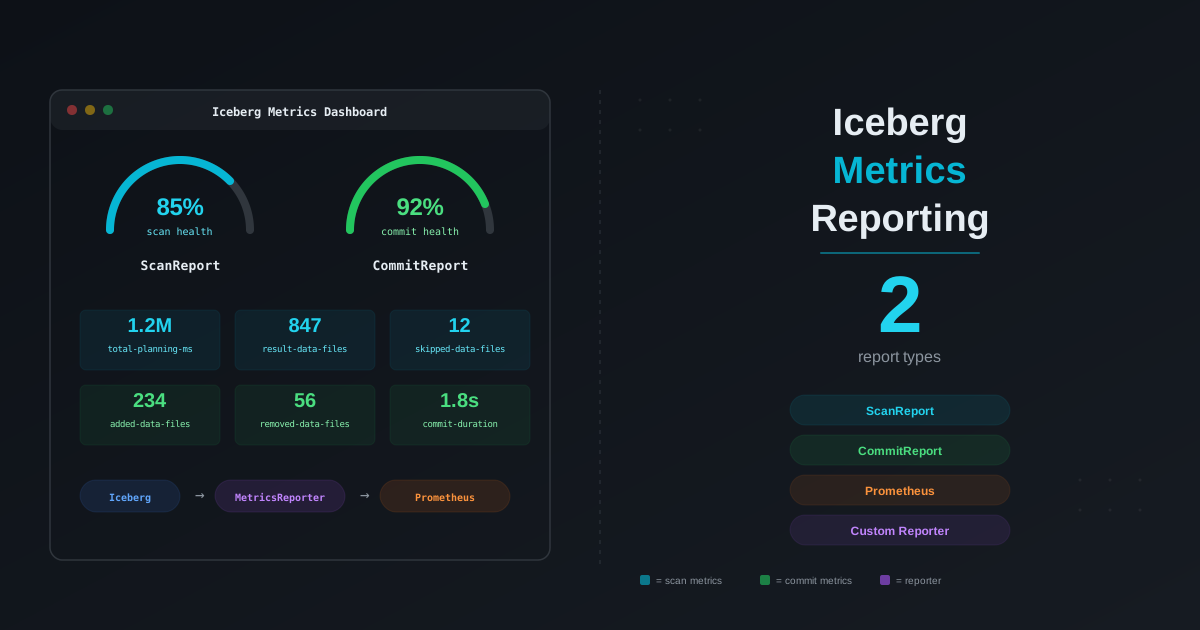
Since version 1.1.0, Iceberg provides a pluggable MetricsReporter interface that captures real-time metrics for every scan and every commit. This is the most direct source of operational health data.

ScanReport: What Happens When You Read
Every time Spark (or any Iceberg client) plans a table scan, Iceberg emits a ScanReport containing these metrics:
| Metric | Type | What it tells you |
|---|---|---|
totalPlanningDuration | Timer | Total wall-clock time spent planning the scan |
resultDataFiles | Counter | Number of data files selected after all pruning |
resultDeleteFiles | Counter | Number of delete files that must be applied at read time |
totalDataManifests | Counter | Total data manifests in the snapshot |
scannedDataManifests | Counter | Data manifests actually opened and read |
skippedDataManifests | Counter | Data manifests skipped via partition summary pruning |
totalDeleteManifests | Counter | Total delete manifests in the snapshot |
scannedDeleteManifests | Counter | Delete manifests actually opened |
skippedDeleteManifests | Counter | Delete manifests skipped |
totalFileSizeInBytes | Counter | Total size of data files in the scan result |
totalDeleteFileSizeInBytes | Counter | Total size of delete files in the scan result |
skippedDataFiles | Counter | Data files eliminated via column-level min/max statistics |
skippedDeleteFiles | Counter | Delete files eliminated |
indexedDeleteFiles | Counter | Delete files matched via index |
equalityDeleteFiles | Counter | Equality delete files in the scan |
positionalDeleteFiles | Counter | Positional delete files in the scan |
The ScanReport also includes context: tableName, snapshotId, schemaId, filter (the expression pushed down), projectedFieldIds, and projectedFieldNames.
CommitReport: What Happens When You Write
Every time a commit produces a new snapshot, Iceberg emits a CommitReport:
| Metric | Type | What it tells you |
|---|---|---|
totalDuration | Timer | Total time to complete the commit |
attempts | Counter | Number of retry attempts (> 1 means conflict retries) |
addedDataFiles | Counter | New data files written |
removedDataFiles | Counter | Data files replaced or deleted |
totalDataFiles | Counter | Total data files after commit |
addedDeleteFiles | Counter | New delete files created |
removedDeleteFiles | Counter | Delete files removed (e.g., by compaction) |
totalDeleteFiles | Counter | Total delete files after commit |
addedEqualityDeleteFiles | Counter | New equality delete files |
removedEqualityDeleteFiles | Counter | Equality deletes removed |
addedPositionalDeleteFiles | Counter | New positional delete files |
removedPositionalDeleteFiles | Counter | Positional deletes removed |
addedRecords | Counter | Rows added |
removedRecords | Counter | Rows removed |
totalRecords | Counter | Total rows after commit |
addedFilesSizeInBytes | Counter | Bytes written |
removedFilesSizeInBytes | Counter | Bytes removed |
totalFilesSizeInBytes | Counter | Total storage after commit |
addedPositionalDeletes | Counter | Positional delete row count added |
removedPositionalDeletes | Counter | Positional delete rows removed |
totalPositionalDeletes | Counter | Total positional delete rows |
addedEqualityDeletes | Counter | Equality delete row count added |
removedEqualityDeletes | Counter | Equality delete rows removed |
totalEqualityDeletes | Counter | Total equality delete rows |
The CommitReport also includes tableName, snapshotId, sequenceNumber, and operation (append, overwrite, replace, delete).
How to Enable Metrics Reporting
Option 1: Catalog configuration. Register a reporter via the metrics-reporter-impl catalog property:
spark.sql.catalog.my_catalog.metrics-reporter-impl=org.apache.iceberg.metrics.LoggingMetricsReporter
The LoggingMetricsReporter is built in and writes structured metrics to the application log. This is the simplest way to get started — no custom code required.
Option 2: Custom MetricsReporter via Java/Scala. Implement the MetricsReporter interface to send metrics anywhere — Prometheus, CloudWatch, Datadog, a Kafka topic:
import org.apache.iceberg.metrics.MetricsReport;
import org.apache.iceberg.metrics.MetricsReporter;
import org.apache.iceberg.metrics.ScanReport;
import org.apache.iceberg.metrics.CommitReport;

public class PrometheusMetricsReporter implements MetricsReporter {
    @Override
    public void report(MetricsReport report) {
        if (report instanceof ScanReport) {
            ScanReport scan = (ScanReport) report;
            // Push to Prometheus
            scanPlanningDuration.observe(
                scan.scanMetrics().totalPlanningDuration().totalDuration().toMillis()
            );
            manifestSkipRatio.set(
                (double) scan.scanMetrics().skippedDataManifests().value()
                / scan.scanMetrics().totalDataManifests().value()
            );
            deleteFilesInScan.set(
                scan.scanMetrics().resultDeleteFiles().value()
            );
        } else if (report instanceof CommitReport) {
            CommitReport commit = (CommitReport) report;
            commitDuration.observe(
                commit.commitMetrics().totalDuration().totalDuration().toMillis()
            );
            commitAttempts.set(
                commit.commitMetrics().attempts().value()
            );
        }
    }
}
Register your custom reporter:
spark.sql.catalog.my_catalog.metrics-reporter-impl=com.mycompany.PrometheusMetricsReporter
Option 3: Per-scan reporter via Java API. You can attach a reporter to an individual table scan for ad-hoc diagnostics:
TableScan scan = table.newScan()
    .filter(Expressions.equal("user_id", "abc-123"))
    .metricsReporter(report -> {
        ScanReport scanReport = (ScanReport) report;
        System.out.println("Planning took: " +
            scanReport.scanMetrics().totalPlanningDuration().totalDuration());
        System.out.println("Files in result: " +
            scanReport.scanMetrics().resultDataFiles().value());
    });
What the Output Looks Like
With LoggingMetricsReporter, a ScanReport produces log output like this:
{
  "tableName": "analytics.events",
  "snapshotId": 4892301847201938475,
  "filter": "(user_id = 'abc-123')",
  "scanMetrics": {
    "totalPlanningDuration": {"totalDuration": "PT2.341S", "count": 1},
    "resultDataFiles": {"value": 3, "unit": "COUNT"},
    "resultDeleteFiles": {"value": 0, "unit": "COUNT"},
    "totalDataManifests": {"value": 120, "unit": "COUNT"},
    "scannedDataManifests": {"value": 8, "unit": "COUNT"},
    "skippedDataManifests": {"value": 112, "unit": "COUNT"},
    "totalFileSizeInBytes": {"value": 425829120, "unit": "BYTES"},
    "skippedDataFiles": {"value": 847, "unit": "COUNT"},
    "positionalDeleteFiles": {"value": 0, "unit": "COUNT"},
    "equalityDeleteFiles": {"value": 0, "unit": "COUNT"}
  }
}
This single report tells you: planning took 2.3 seconds, 112 of 120 manifests were skipped (93% — good), 847 data files were pruned by column stats, only 3 files remained, and no delete files were involved.
Known Limitations
There is a known issue (GitHub #11664) where CommitReport is not always emitted through custom MetricsReporters in certain catalog configurations. The RESTMetricsReporter (used by REST catalogs) handles this correctly, but catalog-level custom reporters may miss commit events in some Iceberg versions. Check your Iceberg version's release notes for fixes.
Layer 2: Metadata Tables — SQL-Queryable Table Health
Iceberg exposes virtual metadata tables that you can query with standard SQL in Spark, Trino, or Flink. These are the most practical way to assess table health because they require no code changes — just run a query.
The files Table: Data File Health
The files metadata table lists every active data file in the current snapshot:
| Column | Type | Description |
|---|---|---|
content | int | 0 = data file, 1 = position deletes, 2 = equality deletes |
file_path | string | Full path to the file |
file_format | string | PARQUET, ORC, AVRO |
spec_id | int | Partition spec that wrote this file |
record_count | long | Number of rows in the file |
file_size_in_bytes | long | File size |
column_sizes | map | Per-column size in bytes |
value_counts | map | Per-column non-null value count |
null_value_counts | map | Per-column null count |
nan_value_counts | map | Per-column NaN count |
lower_bounds | map | Per-column minimum value |
upper_bounds | map | Per-column maximum value |
sort_order_id | int | Sort order used when writing |
readable_metrics | struct | Human-readable column metrics |
Detect small files (the most common Iceberg performance problem):
SELECT
  partition,
  COUNT(*) AS file_count,
  AVG(file_size_in_bytes) / 1048576 AS avg_file_size_mb,
  MIN(file_size_in_bytes) / 1048576 AS min_file_size_mb,
  MAX(file_size_in_bytes) / 1048576 AS max_file_size_mb,
  SUM(record_count) AS total_records
FROM my_catalog.my_db.my_table.files
GROUP BY partition
HAVING AVG(file_size_in_bytes) < 134217728  -- avg < 128 MB
ORDER BY file_count DESC;
If you see partitions with hundreds of files averaging 5-20 MB, you need compaction.
Detect file size distribution problems:
SELECT
  CASE
    WHEN file_size_in_bytes < 8388608 THEN 'tiny (< 8 MB)'
    WHEN file_size_in_bytes < 67108864 THEN 'small (8-64 MB)'
    WHEN file_size_in_bytes < 134217728 THEN 'medium (64-128 MB)'
    WHEN file_size_in_bytes < 268435456 THEN 'target (128-256 MB)'
    WHEN file_size_in_bytes < 536870912 THEN 'large (256-512 MB)'
    ELSE 'oversized (> 512 MB)'
  END AS size_bucket,
  COUNT(*) AS file_count,
  SUM(file_size_in_bytes) / 1073741824 AS total_gb
FROM my_catalog.my_db.my_table.files
GROUP BY 1
ORDER BY 1;
A healthy table should have most files in the 128-256 MB range (the Iceberg default target). If the majority are in the "tiny" or "small" buckets, compaction is overdue.
The manifests Table: Manifest Health
| Column | Type | Description |
|---|---|---|
path | string | Manifest file path |
length | long | Manifest file size in bytes |
partition_spec_id | int | Partition spec ID |
added_snapshot_id | long | Snapshot that created this manifest |
added_data_files_count | int | Data files added in this manifest |
existing_data_files_count | int | Existing (carried-over) data files |
deleted_data_files_count | int | Data files marked as deleted |
added_rows_count | long | Rows added |
existing_rows_count | long | Existing rows |
deleted_rows_count | long | Rows deleted |
partition_summaries | list | Min/max bounds per partition field |
Detect manifest fragmentation:
SELECT
  COUNT(*) AS total_manifests,
  AVG(added_data_files_count + existing_data_files_count) AS avg_files_per_manifest,
  AVG(length) / 1024 AS avg_manifest_size_kb
FROM my_catalog.my_db.my_table.manifests;
If you have hundreds of manifests with only a few files each, scan planning has to open too many manifest files. Run rewrite_manifests to consolidate them.
Detect manifests with only deleted entries (dead weight):
SELECT COUNT(*) AS dead_manifests
FROM my_catalog.my_db.my_table.manifests
WHERE added_data_files_count = 0
  AND existing_data_files_count = 0
  AND deleted_data_files_count > 0;
The snapshots Table: Commit History and Trends
| Column | Type | Description |
|---|---|---|
committed_at | timestamp | When the snapshot was committed |
snapshot_id | long | Snapshot ID |
parent_id | long | Parent snapshot ID |
operation | string | append, overwrite, replace, delete |
manifest_list | string | Path to the manifest list file |
summary | map | Key-value pairs with commit statistics |
Detect snapshot accumulation:
SELECT
  COUNT(*) AS total_snapshots,
  MIN(committed_at) AS oldest_snapshot,
  MAX(committed_at) AS newest_snapshot,
  COUNT(*) / GREATEST(1,
    DATEDIFF(MAX(committed_at), MIN(committed_at))
  ) AS snapshots_per_day
FROM my_catalog.my_db.my_table.snapshots;
If you have more than 100-200 unexpired snapshots, metadata bloat is likely slowing down scan planning. Run expire_snapshots with an appropriate retention period.
Detect high-frequency commit patterns:
SELECT
  DATE(committed_at) AS commit_date,
  COUNT(*) AS commits,
  SUM(CASE WHEN operation = 'append' THEN 1 ELSE 0 END) AS appends,
  SUM(CASE WHEN operation = 'overwrite' THEN 1 ELSE 0 END) AS overwrites,
  SUM(CASE WHEN operation = 'delete' THEN 1 ELSE 0 END) AS deletes
FROM my_catalog.my_db.my_table.snapshots
GROUP BY 1
ORDER BY 1 DESC
LIMIT 30;
Tables with hundreds of appends per day (e.g., streaming micro-batches) will accumulate small files rapidly and need aggressive compaction schedules.
The partitions Table: Partition Skew
| Column | Type | Description |
|---|---|---|
partition | struct | Partition values |
record_count | long | Total records in partition |
file_count | int | Number of data files |
spec_id | int | Partition spec ID |
Detect partition skew:
SELECT
  partition,
  record_count,
  file_count,
  record_count / GREATEST(1, file_count) AS records_per_file
FROM my_catalog.my_db.my_table.partitions
ORDER BY file_count DESC
LIMIT 20;
If one partition has 500 files and most have 5, that hot partition is disproportionately impacting scan planning for queries that touch it. Consider a finer-grained partition strategy (e.g., adding bucket() on a high-cardinality column).
The all_delete_files Table: Delete File Burden
This is often overlooked, but it is critical for tables with UPDATE, DELETE, or MERGE INTO operations.
SELECT
  content,
  COUNT(*) AS delete_file_count,
  SUM(record_count) AS total_delete_records,
  SUM(file_size_in_bytes) / 1048576 AS total_size_mb
FROM my_catalog.my_db.my_table.all_delete_files
GROUP BY content;
Content 1 is positional deletes and 2 is equality deletes. If you see hundreds of delete files or millions of delete records, your reads are paying a heavy merge-on-read tax. Compaction with rewrite_data_files merges these deletes into the base data files.
Layer 3: Snapshot Summary Properties — Time-Series Table Health
Every snapshot's summary map contains cumulative statistics. By querying the summary across snapshots, you can build a time-series of table health:
SELECT
  committed_at,
  operation,
  CAST(summary['added-data-files'] AS INT) AS added_files,
  CAST(summary['removed-data-files'] AS INT) AS removed_files,
  CAST(summary['total-data-files'] AS INT) AS total_files,
  CAST(summary['total-delete-files'] AS INT) AS total_deletes,
  CAST(summary['added-records'] AS BIGINT) AS added_records,
  CAST(summary['total-records'] AS BIGINT) AS total_records,
  CAST(summary['total-equality-deletes'] AS BIGINT) AS total_eq_deletes,
  CAST(summary['total-position-deletes'] AS BIGINT) AS total_pos_deletes
FROM my_catalog.my_db.my_table.snapshots
ORDER BY committed_at DESC
LIMIT 50;
What to look for in the time-series
Growing total-delete-files without cleanup. If total-delete-files increases commit over commit but never decreases, delete files are accumulating. Compaction has not run or is not configured.
total-data-files growing linearly despite stable data volume. This is the classic small file accumulation pattern. Each streaming micro-batch adds a few files, but nothing consolidates them.
Frequent overwrite operations with high removed-data-files. This indicates either aggressive compaction (good) or poorly optimized MERGE INTO statements that rewrite too many files (bad). Compare removed-data-files with added-data-files — if they are roughly equal on non-compaction commits, your merge key might not be aligned with the partition key, forcing full-partition rewrites.
added-records trending down to zero while total-records stays flat. The table is receiving empty or near-empty commits — possibly from a streaming job with no new data. These empty commits still produce snapshots and manifests, adding metadata overhead for no benefit.
Layer 4: Column-Level Statistics — Clustering and Sort Effectiveness
This is the most underrated diagnostic layer. The files metadata table stores per-column lower_bounds and upper_bounds for every data file. By analyzing how these bounds overlap, you can directly measure whether your sort order is actually helping query performance.
How it works
When data is well-sorted on a column, each file contains a narrow, non-overlapping range of values for that column. Iceberg's scan planner uses these bounds to skip files that cannot contain the queried value. The tighter and more non-overlapping the bounds, the more files get skipped.
When data is unsorted, every file contains the full range of values (e.g., lower=A, upper=Z for every file). No file can be skipped based on column stats — the scan reads everything.
Measure clustering quality
SELECT
  readable_metrics.user_id.lower_bound AS lower,
  readable_metrics.user_id.upper_bound AS upper,
  file_size_in_bytes / 1048576 AS file_size_mb,
  record_count
FROM my_catalog.my_db.my_table.files
ORDER BY readable_metrics.user_id.lower_bound
LIMIT 20;
Well-clustered output (each file covers a narrow range):
lower       upper       file_size_mb  record_count
user_0001   user_1000   128           500000
user_1001   user_2000   135           520000
user_2001   user_3000   131           510000
Poorly-clustered output (every file spans the full range):
lower       upper       file_size_mb  record_count
user_0001   user_9999   128           500000
user_0002   user_9998   135           520000
user_0001   user_9999   131           510000
If your output looks like the second example, data skipping via column stats is effectively useless for that column. Run sort compaction:
CALL my_catalog.system.rewrite_data_files(
  table => 'my_db.my_table',
  strategy => 'sort',
  sort_order => 'user_id ASC'
);
Measure overlap ratio
You can quantify the overlap by computing what fraction of files a single value would match:
SELECT
  COUNT(*) AS total_files,
  COUNT_IF(
    readable_metrics.user_id.lower_bound <= 'user_5000'
    AND readable_metrics.user_id.upper_bound >= 'user_5000'
  ) AS files_matching_single_value,
  ROUND(
    COUNT_IF(
      readable_metrics.user_id.lower_bound <= 'user_5000'
      AND readable_metrics.user_id.upper_bound >= 'user_5000'
    ) * 100.0 / COUNT(*), 1
  ) AS overlap_pct
FROM my_catalog.my_db.my_table.files;
For a well-sorted column, overlap_pct should be close to 0% (the value exists in 1 file out of many). For an unsorted column, it will be close to 100% (every file's range covers the value).
Layer 5: Puffin File Statistics — Advanced Query Optimization
Puffin is a file format that stores table-level statistics as binary "blobs" alongside the Iceberg metadata. These statistics go beyond file-level min/max bounds.
What Puffin stores
| Statistic | Algorithm | Use case |
|---|---|---|
| NDV (Number of Distinct Values) | Apache DataSketches Theta Sketch | Join order optimization, GROUP BY cost estimates |
| Column histograms | KLL Sketch | Data distribution analysis, predicate selectivity estimation |
Why it matters
Without NDV statistics, query engines must guess at cardinalities when planning joins and aggregations. A bad guess can lead to a broadcast join when a shuffle join was needed (or vice versa), causing out-of-memory errors or orders-of-magnitude slowdowns.
How to generate Puffin statistics
In Spark with Iceberg, you can compute statistics using the compute_statistics procedure (available in some catalog implementations):
-- AWS Glue Data Catalog generates Puffin stats automatically
-- For other catalogs, check your catalog's documentation

-- You can also generate NDV stats via Spark:
ANALYZE TABLE my_catalog.my_db.my_table
COMPUTE STATISTICS FOR COLUMNS user_id, event_type;
Note that Puffin file support varies across catalogs. AWS Glue Data Catalog generates Theta Sketch-based NDV estimates automatically. REST catalogs store Puffin references in the metadata. Check your catalog's documentation for specifics.
How to check if Puffin stats exist
Look for .stats or .puffin files in your table's metadata directory:
from pyiceberg.catalog import load_catalog

catalog = load_catalog("my_catalog")
table = catalog.load_table("my_db.my_table")

# Check for statistics files in metadata
for stat_file in table.metadata.statistics:
    print(f"Stats file: {stat_file.statistics_path}")
    for blob in stat_file.blob_metadata:
        print(f"  Blob type: {blob.type}, columns: {blob.fields}")
If no statistics files exist, your query engine is flying blind on cardinality estimates.
Layer 6: Spark Engine Metrics — Execution-Level Observability
The previous layers focus on Iceberg-native metrics. But the query engine itself provides another dimension of observability.
Spark UI metrics for Iceberg operations
When you run an Iceberg query in Spark, the SQL tab in Spark UI shows:
- Scan node: number of files read, bytes read, rows output
- Planning time: how long the optimizer spent (includes Iceberg scan planning)
- Task metrics: per-task bytes read, shuffle bytes, GC time
Using EXPLAIN to see Iceberg pruning
EXPLAIN FORMATTED
SELECT * FROM my_catalog.my_db.my_table
WHERE event_date = '2026-02-10' AND user_id = 'abc-123';
The output shows the Iceberg BatchScan node with details about which partition filters were pushed down and how many files remain after pruning. If the file count is unexpectedly high, your filters are not being pushed down effectively.
Using df.explain() in PySpark
df = spark.table("my_catalog.my_db.my_table") \
    .filter("event_date = '2026-02-10'") \
    .filter("user_id = 'abc-123'")

df.explain(True)  # Shows parsed, analyzed, optimized, and physical plans
Look for IcebergScan in the physical plan. It shows the pushed-down filters and the number of files that survived pruning.
Putting It All Together: The Diagnostic Framework
Now that you know what metrics are available, here is how to use them systematically.
Read Performance Diagnosis
| Symptom | Metric to check | Threshold | Action |
|---|---|---|---|
| Slow scan planning | ScanReport totalPlanningDuration | > 5 seconds | rewrite_manifests, check snapshot count |
| Too many files scanned | ScanReport resultDataFiles | Varies by table | Improve partitioning, sort compaction |
| Poor manifest pruning | skippedDataManifests / totalDataManifests | < 50% skipped | Partition strategy does not match query patterns |
| Poor file pruning | skippedDataFiles is low | Most files pass through | Sort compaction on the filtered columns |
| Delete file overhead | ScanReport resultDeleteFiles > 0 | Any non-zero on reads | rewrite_data_files to merge deletes into base files |
| Small files | files table: avg size < 128 MB | < 128 MB average | rewrite_data_files with bin-pack or sort strategy |
| Partition skew | partitions table: 10x file count variance | 10x+ variance | Re-evaluate partition key or add bucket transform |
| Manifest bloat | manifests table: low files per manifest | < 10 files/manifest avg | rewrite_manifests |
| Too many snapshots | snapshots table: count > 100 | > 100 unexpired | expire_snapshots with retention period |
| Poor data clustering | Column lower_bounds/upper_bounds overlap | > 50% overlap for point queries | Sort compaction or Z-order compaction |
Write Performance Diagnosis
| Symptom | Metric to check | Threshold | Action |
|---|---|---|---|
| Slow commits | CommitReport totalDuration | > 10 seconds | Check metadata file sizes, reduce snapshot count |
| Commit contention | CommitReport attempts | > 1 regularly | Reduce writer concurrency, use WAP (Write-Audit-Publish) |
| Write amplification | removedDataFiles ~ addedDataFiles on non-compaction commits | Ratio > 0.5 | MERGE INTO is rewriting too many files — align merge key with partition key |
| Delete file accumulation | Snapshot summary total-delete-files trend | Growing without decrease | Schedule compaction after heavy UPDATE/DELETE/MERGE workloads |
| Empty commits | Snapshot summary added-records = 0 | Frequent zero-record commits | Filter empty micro-batches before commit |
| Storage growth anomaly | Snapshot summary total-files-size trend | Growing faster than data volume | Check for orphan files, run remove_orphan_files |
The Maintenance Decision Tree
Start: Is the table slow?
│
├── Slow READS?
│   ├── Check scan planning time (ScanReport or EXPLAIN)
│   │   ├── Planning > 5s → Too many manifests → rewrite_manifests
│   │   └── Planning OK → Pruning is the issue
│   │
│   ├── Check manifest skip ratio
│   │   ├── < 50% skipped → Wrong partition strategy
│   │   └── > 50% skipped → Check file-level pruning
│   │
│   ├── Check file skip ratio (column stats)
│   │   ├── Low → Data not clustered → sort compaction
│   │   └── High → Check for delete files
│   │
│   └── Check delete files in scan
│       ├── > 0 → rewrite_data_files to merge deletes
│       └── 0 → Check file sizes → small files → compaction
│
└── Slow WRITES?
    ├── Check commit attempts
    │   ├── > 1 → Writer contention → reduce concurrency
    │   └── = 1 → Check commit duration
    │
    ├── Check commit duration
    │   ├── > 10s → Metadata bloat → expire_snapshots
    │   └── < 10s → Check write amplification
    │
    └── Check removed vs added files
        ├── High churn → MERGE rewriting too much → optimize merge key
        └── Normal → Check target file size config
Automated Health Check Query
Here is a single comprehensive query that produces a table health scorecard:
WITH file_stats AS (
  SELECT
    COUNT(*) AS total_files,
    AVG(file_size_in_bytes) AS avg_file_size,
    MIN(file_size_in_bytes) AS min_file_size,
    MAX(file_size_in_bytes) AS max_file_size,
    SUM(file_size_in_bytes) AS total_size,
    SUM(record_count) AS total_records,
    COUNT_IF(file_size_in_bytes < 67108864) AS small_file_count,
    COUNT_IF(file_size_in_bytes < 8388608) AS tiny_file_count
  FROM my_catalog.my_db.my_table.files
),
manifest_stats AS (
  SELECT
    COUNT(*) AS total_manifests,
    AVG(added_data_files_count + existing_data_files_count) AS avg_files_per_manifest
  FROM my_catalog.my_db.my_table.manifests
),
snapshot_stats AS (
  SELECT
    COUNT(*) AS total_snapshots,
    MAX(CAST(summary['total-delete-files'] AS INT)) AS current_delete_files,
    MAX(CAST(summary['total-position-deletes'] AS BIGINT)) AS current_pos_deletes,
    MAX(CAST(summary['total-equality-deletes'] AS BIGINT)) AS current_eq_deletes
  FROM my_catalog.my_db.my_table.snapshots
),
partition_stats AS (
  SELECT
    COUNT(*) AS total_partitions,
    MAX(file_count) AS max_files_in_partition,
    MIN(file_count) AS min_files_in_partition,
    AVG(file_count) AS avg_files_per_partition
  FROM my_catalog.my_db.my_table.partitions
)
SELECT
  -- File health
  f.total_files,
  ROUND(f.avg_file_size / 1048576, 1) AS avg_file_size_mb,
  f.small_file_count,
  f.tiny_file_count,
  ROUND(f.small_file_count * 100.0 / f.total_files, 1) AS small_file_pct,
  ROUND(f.total_size / 1073741824, 2) AS total_size_gb,

  -- Manifest health
  m.total_manifests,
  ROUND(m.avg_files_per_manifest, 1) AS avg_files_per_manifest,

  -- Snapshot health
  s.total_snapshots,
  s.current_delete_files,
  s.current_pos_deletes,
  s.current_eq_deletes,

  -- Partition health
  p.total_partitions,
  p.max_files_in_partition,
  p.min_files_in_partition,
  ROUND(p.max_files_in_partition * 1.0 / GREATEST(1, p.min_files_in_partition), 1) AS partition_skew_ratio,

  -- Health flags
  CASE WHEN f.small_file_count * 100.0 / f.total_files > 30 THEN 'NEEDS COMPACTION' ELSE 'OK' END AS file_size_health,
  CASE WHEN m.total_manifests > 200 THEN 'NEEDS REWRITE' ELSE 'OK' END AS manifest_health,
  CASE WHEN s.total_snapshots > 100 THEN 'NEEDS EXPIRY' ELSE 'OK' END AS snapshot_health,
  CASE WHEN s.current_delete_files > 50 THEN 'NEEDS COMPACTION' ELSE 'OK' END AS delete_file_health,
  CASE WHEN p.max_files_in_partition * 1.0 / GREATEST(1, p.min_files_in_partition) > 10 THEN 'SKEWED' ELSE 'OK' END AS partition_health

FROM file_stats f
CROSS JOIN manifest_stats m
CROSS JOIN snapshot_stats s
CROSS JOIN partition_stats p;
This gives you a single-row output with all the key health indicators and flags for which maintenance actions are needed.
The Recommended Maintenance Order
When the health check reveals multiple problems, run maintenance in this order:
-- Step 1: Expire old snapshots (reduces metadata before other operations)
CALL my_catalog.system.expire_snapshots(
  table => 'my_db.my_table',
  older_than => TIMESTAMP '2026-02-01 00:00:00',
  retain_last => 10
);

-- Step 2: Remove orphan files (clean up unreferenced data)
CALL my_catalog.system.remove_orphan_files(
  table => 'my_db.my_table',
  older_than => TIMESTAMP '2026-02-01 00:00:00'
);

-- Step 3: Rewrite data files (compaction — merges small files and deletes)
CALL my_catalog.system.rewrite_data_files(
  table => 'my_db.my_table',
  strategy => 'sort',
  sort_order => 'user_id ASC'
);

-- Step 4: Rewrite manifests (consolidate manifest files)
CALL my_catalog.system.rewrite_manifests(
  table => 'my_db.my_table'
);
The order matters: expiring snapshots first removes dead metadata, making the subsequent operations faster and preventing them from processing already-expired data.
How Cazpian Handles This
On Cazpian, table health monitoring is built into the platform. Cazpian continuously collects ScanReport and CommitReport metrics from every query, surfaces them in the table health dashboard, and triggers automated maintenance when thresholds are breached. You get the diagnostic framework described in this post without writing any of the SQL or custom reporters — the platform handles the collection, analysis, and remediation automatically.
What's Next
This post covered the complete picture of Iceberg metrics — from the MetricsReporter API to metadata tables to column-level clustering analysis. For related deep dives, see our other posts:
- Iceberg Query Performance Tuning — partition pruning, min/max statistics, and Spark read configs.
- Iceberg Bloom Filters — row-group-level filtering for high-cardinality point lookups.
- Iceberg Table Design — choosing partition transforms and write properties.
- Writing Efficient MERGE INTO — optimizing upsert queries that create delete files.
- Iceberg CDC Patterns — change data capture pipelines and maintenance strategies.