23 posts tagged with "Data Lakehouse"

View All Tags

The Complete Apache Spark and Iceberg Performance Tuning Checklist

· 35 min read
Cazpian Engineering
Platform Engineering Team

The Complete Apache Spark and Iceberg Performance Tuning Checklist

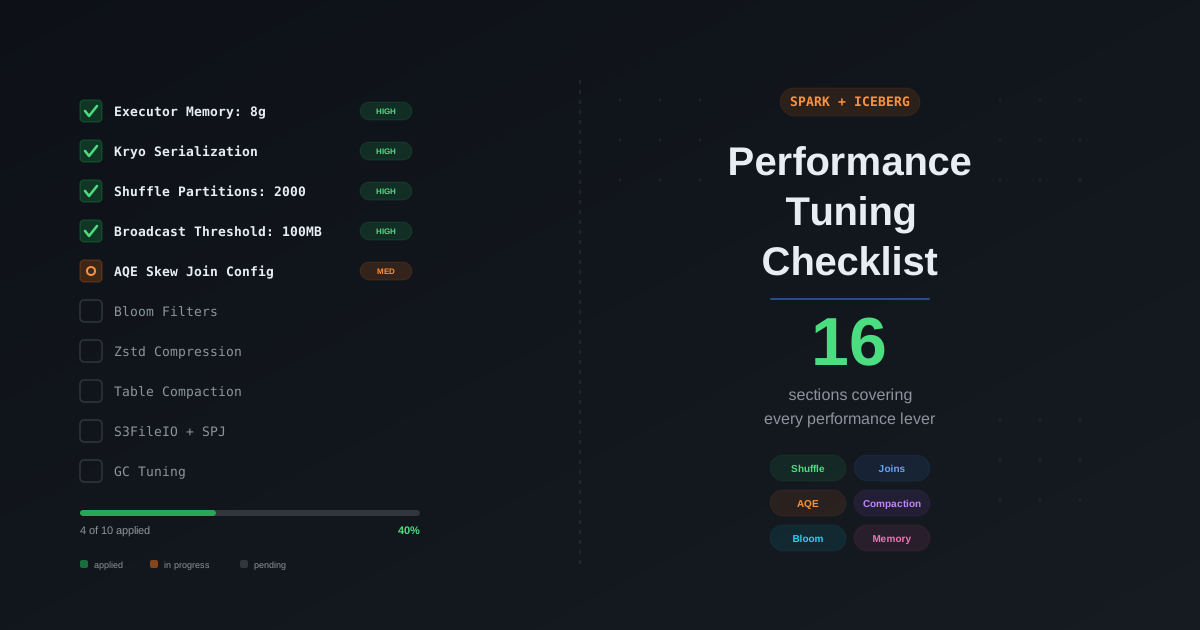
You have a Spark job running on Iceberg tables. It works, but it is slow, expensive, or both. You have read a dozen blog posts about individual optimizations — broadcast joins, AQE, partition pruning, compaction — but you do not have a single place that tells you what to check, in what order, and what the correct configuration values are. Every tuning session turns into a scavenger hunt across documentation, Stack Overflow, and tribal knowledge.

This post is the checklist you run through every time. We cover every performance lever in the Spark and Iceberg stack, organized from highest impact to lowest, with the exact configurations, recommended values, and links to our deep-dive posts for the full explanation. If you only have 30 minutes, work through the first five sections. If you have a day, work through all sixteen. Every item has been validated in production workloads on the Cazpian lakehouse platform.

Spark OOM Debugging: The Complete Guide to Fixing Out of Memory Errors

· 22 min read
Cazpian Engineering
Platform Engineering Team

Spark OOM Debugging: The Complete Guide to Fixing Out of Memory Errors

The job fails. The log says OutOfMemoryError. Someone doubles spark.executor.memory from 8 GB to 16 GB. The job passes. Nobody asks why. The team moves on, carrying twice the compute cost forever.

Three months later, data volume grows. The same job fails again. They double it to 32 GB. Then 64 GB. Then they hit the maximum instance type and cannot scale further. Only then does someone ask: "What is actually consuming all this memory?"

This is the most expensive pattern in data engineering. Teams treat Spark memory as a single dial and OOM errors as a signal to turn it up. They do not distinguish between driver OOM and executor OOM. They do not check whether the problem is a single skewed partition, an oversized broadcast, a missing unpersist(), or a collect() call buried in a utility function. They do not know how to read GC logs, check spill metrics, or use the Spark UI to pinpoint the memory bottleneck.

This post gives you the complete debugging toolkit. We cover every type of OOM error, how to tell driver from executor, a step-by-step debugging workflow, GC tuning for G1GC and ZGC, memory observability with Prometheus and Grafana, the most common anti-patterns, and how Cazpian eliminates the guesswork.

Spark Memory Architecture: The Complete Guide to the Unified Memory Model

· 17 min read
Cazpian Engineering
Platform Engineering Team

Spark Memory Architecture: The Complete Guide to the Unified Memory Model

A Spark job fails with OutOfMemoryError. The team doubles spark.executor.memory from 8 GB to 16 GB. The job passes. Nobody investigates why. Three months later, the same job fails again on a larger dataset. They double it again to 32 GB. The cluster bill doubles with it.

This is the most common pattern in Spark operations — and the most expensive. Teams treat memory as a single knob to turn up. They do not know that Spark splits memory into distinct regions with different purposes, different eviction rules, and different failure modes. They do not know that their 16 GB executor only gives Spark 9.42 GB of usable unified memory. They do not know that their driver OOM has nothing to do with executor memory. They do not know that half their container memory is overhead they never configured.

This post explains exactly how Spark manages memory. We cover the unified memory model with exact formulas, the difference between execution and storage memory, driver vs executor memory architecture, off-heap memory with Tungsten, container memory for YARN and Kubernetes, PySpark-specific memory, and how to calculate every region from your configuration. The companion post covers OOM debugging, GC tuning, and observability.

Spark SQL Join Strategy: The Complete Optimization Guide

· 36 min read
Cazpian Engineering
Platform Engineering Team

Spark SQL Join Strategy: The Complete Optimization Guide

Your Spark job runs for 45 minutes. You check the Spark UI and find that a single join stage consumed 38 of those minutes — shuffling 800 GB across the network because the optimizer picked SortMergeJoin for a query where one side was 40 MB after filtering. Nobody ran ANALYZE TABLE. No statistics existed. The optimizer had no idea the table was small enough to broadcast.

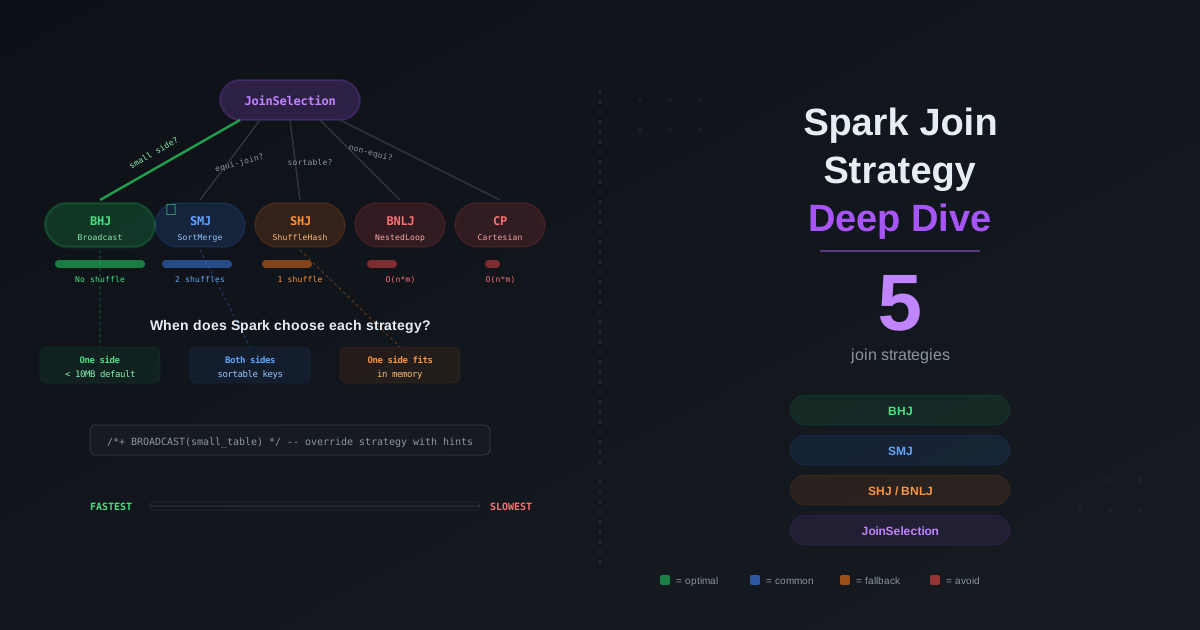
The join strategy is the single most impactful decision in a Spark SQL query plan. It determines whether your data shuffles across the network, whether it spills to disk, whether your driver runs out of memory, and whether your query finishes in seconds or hours. Spark offers five distinct join strategies, each with different performance characteristics, memory requirements, and failure modes. The optimizer picks one based on statistics, hints, configuration, and join type — and it often picks wrong when it lacks information.

This post covers every join strategy in Spark, how the JoinSelection decision tree works internally, how the Catalyst optimizer estimates sizes, how CBO reorders multi-table joins, every join hint and when to use it, how AQE converts strategies at runtime, the equi vs non-equi join problem, how to read physical plans, the most common anti-patterns, and a real-world decision framework you can use in production.

Spark JDBC Data Source: The Complete Optimization Guide for Reads, Writes, and Pushdown

· 43 min read
Cazpian Engineering
Platform Engineering Team

Spark JDBC Data Source: The Complete Optimization Guide

You have a 500 million row table in PostgreSQL. You write spark.read.jdbc(url, "orders", properties) and hit run. Thirty minutes later, the job is still running. One executor is at 100% CPU. The other 49 are idle. Your database server is pegged at a single core, streaming rows through a single JDBC connection while your 50-node Spark cluster sits there doing nothing.

This is the default behavior of Spark JDBC reads. No partitioning. No parallelism. One thread, one connection, one query: SELECT * FROM orders. Every row flows through a single pipe. It is the number one performance mistake data engineers make with Spark JDBC, and it is the default.

This post covers everything you need to know to fix it and to optimize every aspect of Spark JDBC reads and writes. We start with why the default is so slow, then go deep on parallel reads, all pushdown optimizations, fetchSize and batchSize tuning, database-specific configurations, write optimizations, advanced patterns, monitoring and debugging, anti-patterns, and a complete configuration reference.

Spark Data Skew: The Complete Guide to Identification, Debugging, and Optimization

· 35 min read
Cazpian Engineering
Platform Engineering Team

Spark Data Skew: The Complete Guide to Identification, Debugging, and Optimization

Your 200-node cluster finished 199 of 200 tasks in 30 seconds. The last task has been running for 45 minutes. Every executor except one is idle, burning compute cost while it waits for a single partition containing 80% of the data to finish processing. The stage progress bar is stuck at 99.5%. Your Spark job that should take 2 minutes is taking an hour.

This is data skew -- the single most common and most destructive performance problem in distributed data processing. It turns a perfectly parallelized cluster into an expensive single-threaded computation. It wastes money, wastes time, and breaks SLAs. And it is entirely fixable once you know how to identify it and which optimization to apply.

This post goes deep on every dimension of data skew. We start with what it is and why it kills performance, show exactly how to identify it in the Spark UI, catalog every type of skew you will encounter, cover the AQE automatic optimizations that handle skew at runtime, walk through every manual fix with code examples, address Iceberg-specific skew problems, provide a complete configuration reference, and close with the anti-patterns that cause skew in the first place.

Spark Caching and Persistence: The Complete Guide for Iceberg and Cazpian

· 30 min read
Cazpian Engineering
Platform Engineering Team

Spark Caching and Persistence: The Complete Guide for Iceberg and Cazpian

You are running the same 500 GB join three times in a single pipeline — once for a daily summary, once for a top-products report, once for customer segmentation. Each query reads from S3, shuffles terabytes across the network, builds hash maps, and aggregates from scratch. That is 1.5 TB of redundant I/O, three redundant shuffles, and three redundant sort-merge joins.

Spark caching eliminates this waste. You compute the expensive join once, store the result in executor memory, and every subsequent query reads from that in-memory copy instead of going back to object storage. The improvement is not incremental — it is typically 10-100x faster for repeated access patterns.

But caching does something else that is less obvious and equally powerful: it makes Spark's query optimizer smarter. When a table is cached, Spark knows its exact in-memory size. If that size falls below the broadcast join threshold, the optimizer automatically converts a Sort-Merge Join into a Broadcast Hash Join — eliminating the shuffle entirely, without you writing a single hint.

This post covers every dimension of Spark caching. We start with internals, walk through every storage level, show all the ways to cache, explain the columnar storage format that makes DataFrame caching special, dive into memory management, discuss how much data you should actually cache (spoiler: not terabytes), show you how to read the Spark UI Storage tab, and cover the pitfalls that catch production workloads.

Spark Broadcast Joins: The Complete Guide for Iceberg and Cazpian

· 27 min read
Cazpian Engineering
Platform Engineering Team

Spark Broadcast Joins: The Complete Guide for Iceberg and Cazpian

Your 500-node Spark cluster is shuffling a 2 TB fact table across the network — serializing every row, hashing it, writing it to disk, sending it over the wire, and deserializing it on the other side — just to join it with a 50 MB dimension table. Every single query. Every single day.

The shuffle is the most expensive operation in distributed computing. It consumes network bandwidth, disk I/O, CPU cycles, and memory on every executor in the cluster. And for joins where one side is small, it is completely unnecessary.

Broadcast join eliminates the shuffle entirely. Instead of redistributing both tables across the cluster, Spark sends the small table to every executor, where it is stored as an in-memory hash map. Each executor then joins its local partitions of the large table against this hash map — no network shuffle, no disk spill, no cross-executor coordination. The result is typically a 5-20x speedup over Sort-Merge Join for eligible queries.

This post goes deep. We cover exactly what happens inside a broadcast join, all five ways to trigger one, how AQE converts joins at runtime, the real memory math that catches people off guard, when broadcast hurts instead of helps, and how to monitor and debug broadcast behavior in production.

Iceberg Metrics Reporting: How to Monitor Scan and Commit Health with Spark

· 20 min read
Cazpian Engineering
Platform Engineering Team

Iceberg Metrics Reporting: How to Monitor Scan and Commit Health with Spark

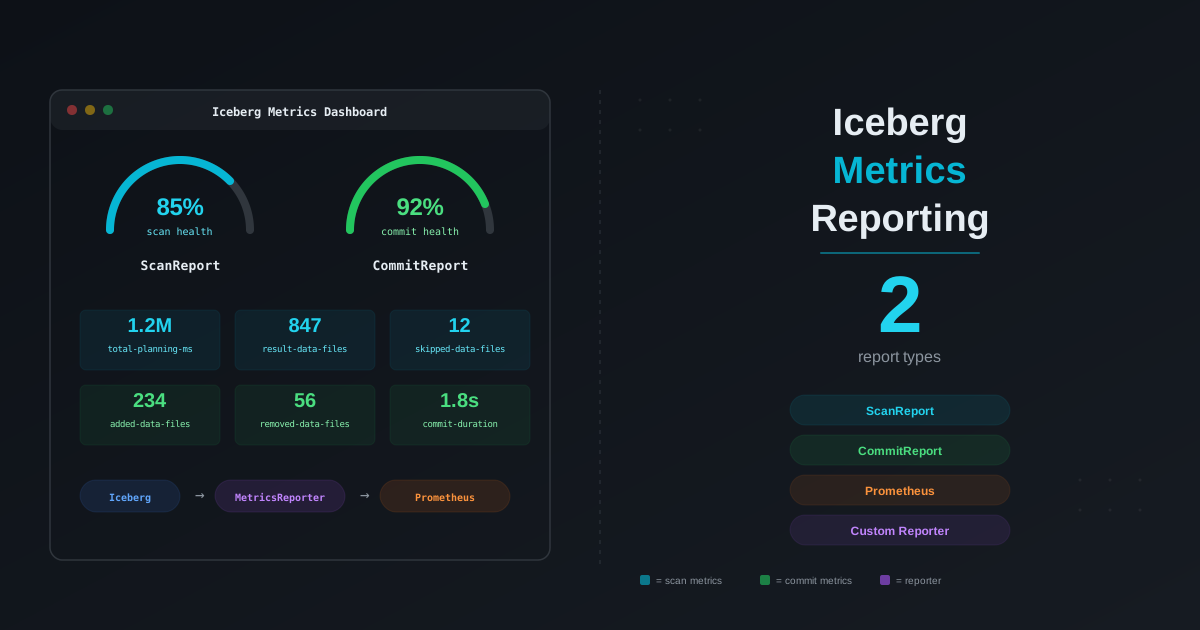
You designed the partitions correctly. You set up compaction. You even configured bloom filters. But your Iceberg tables are still slow — and you have no idea why. Is it the scan planning? Too many manifests? Delete files accumulating silently? Commit retries from writer contention? You cannot fix what you cannot see.

Apache Iceberg actually gives you everything you need to diagnose table health. The problem is that the metrics are scattered across six different layers — a Java API, virtual SQL tables, snapshot properties, file-level statistics, Puffin blobs, and engine-level instrumentation — and no one has assembled them into a single picture. This post does exactly that.

We will walk through every layer of Iceberg metrics, show you how to collect them, explain what each metric means for your read and write performance, and give you concrete thresholds and SQL queries that tell you when something is wrong and what to do about it.

Iceberg Bloom Filters with Spark: Configuration, Validation, and Performance Guide

· 21 min read
Cazpian Engineering
Platform Engineering Team

Iceberg Bloom Filters with Spark: Configuration, Validation, and Performance Guide

When you query an Iceberg table with WHERE user_id = 'abc-123', Spark reads every Parquet file that could contain that value. It first checks partition pruning — does this file belong to the right partition? Then it checks column statistics — does the min/max range for user_id in this file include 'abc-123'? But for high-cardinality columns like UUIDs, user IDs, session IDs, or trace IDs, min/max statistics are nearly useless. The min might be 'aaa...' and the max might be 'zzz...', so every file passes the min/max check even though only one file actually contains the value.

This is where bloom filters come in. A bloom filter is a compact probabilistic data structure embedded in each Parquet file that can definitively say "this value is NOT in this file" — allowing Spark to skip the file entirely. For point lookups on high-cardinality columns, bloom filters can reduce I/O by 80-90%.

This post covers everything you need to know: how bloom filters work internally, when to use them, how to configure them on Iceberg tables, how to validate they are present in your Parquet files, and what false positives mean for your data correctness.